Show warning message that the microphone may not be working during a meeting. This warning means that we have detected a device and are able to send audio, but there is no audio detected from that device. Meaning there could be a local issue on the user’s end.
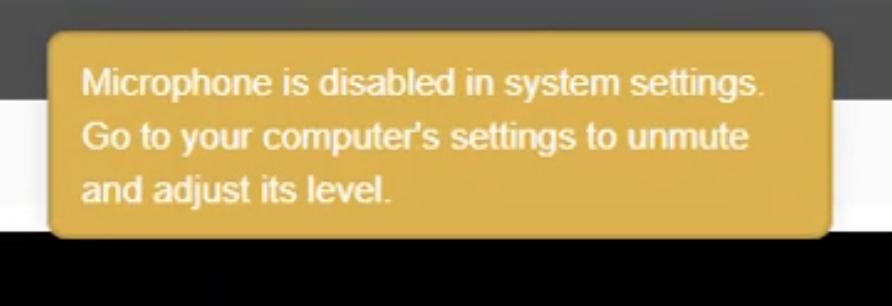
In the join UX (video and audio preview before entering a meeting), show an error message that the microphone has been disabled within the computer’s system settings.
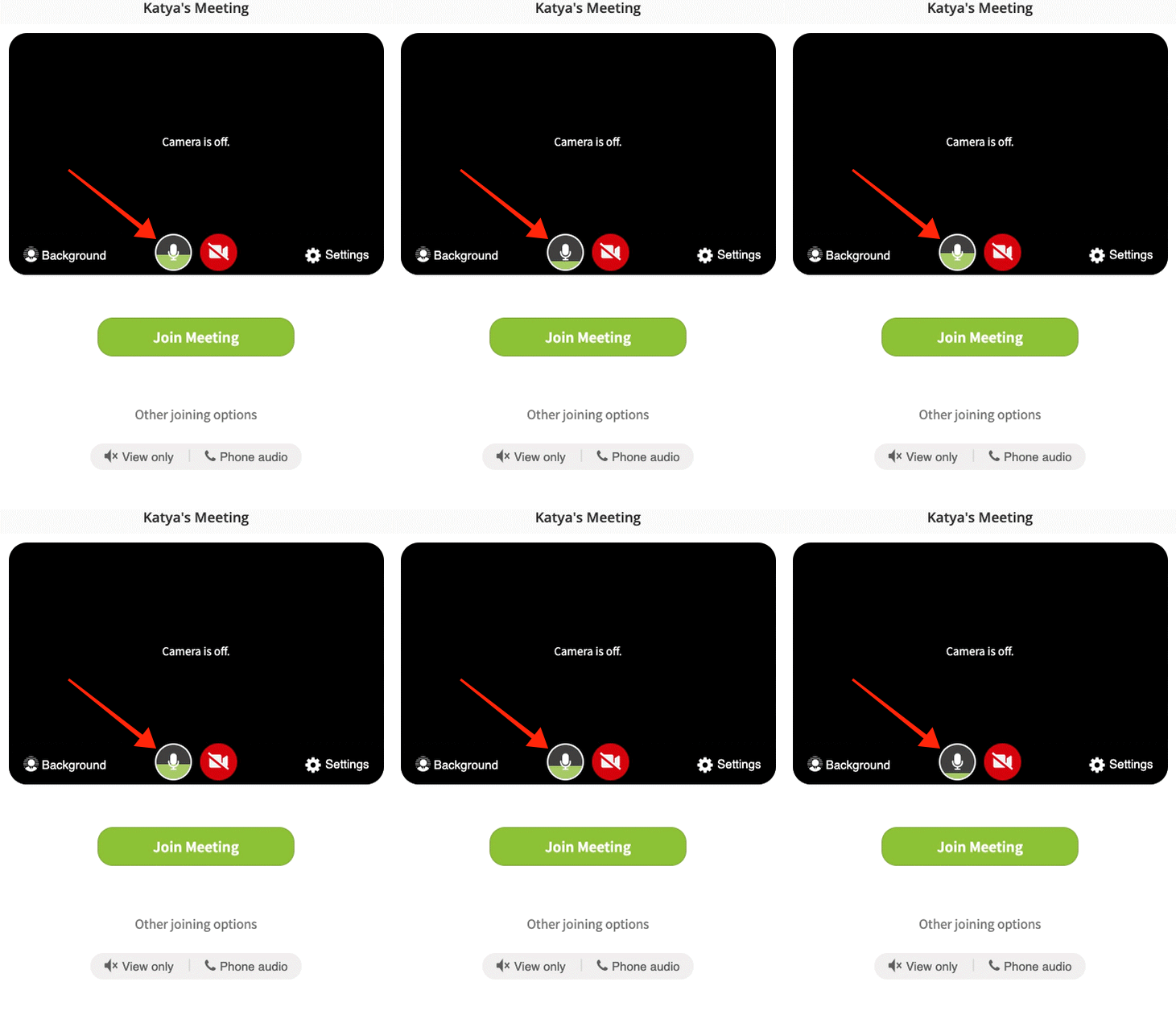
Mic level indicator in the Join UX
API Updates
Provide the option to specify specific participants as moderators via API, so that when those participants join a meeting they are a moderator.
An API that will tell you if a Host is in an active meeting
Add a "detailed" option to conference fetch. This option should return the following details:
Conference_id: Unique conference ID
Subject: Subject
Agenda: Agenda
Start_time: Date/time in the specified time_zone or defaults to UTC
End_time: Date/time
Day: Day of the conference
Month: Month of the conference
Year: Year of the conference
Cancelled: true or false, true if the conference was cancelled.
Participants: Number of participants
Live_wall_posts: List of comments made during the conference
Uploaded_documents: List of uploaded documents
Recordings: List of recordings
BUG FIXES:
BUG ID
Summary
Created
Resolved
FACE-6441
Join UX issues on Android landscape mode
17/Mar/21
19/Aug/21
FACE-7145
Fix extra left padding on the overlay icons
08/Jul/21
19/Aug/21
FACE-7324
Fix modal sizes so scroll bar does not show
06/Aug/21
19/Aug/21
FACE-7310
Camera Annotation Btn should only appear when spotlighted
04/Aug/21
19/Aug/21
FACE-7154
Unable to join Breakout Room using mobile app
09/Jul/21
19/Aug/21
FACE-7334
Text entered in private chat doesn't get cleared when switching to public chat
09/Aug/21
19/Aug/21
FACE-7267
Speaker view stuck on self after screen share
28/Jul/21
19/Aug/21
UPCOMING FEATURE RELEASES:
Speaker View Layout Options - Will be released to BETA plans during the week of August 23rd
User Story: During a meeting, as a participant or moderator, when someone is sharing their screen or when a speaker has been pinned/spotlighted, I want to be able to see all the content that is being shared but still see the video tiles of other participants.
Share a second camera
Share a 2nd camera feed with the meeting. Very useful for scenarios like cooking classes that use a "pot" cam and other scenarios that use a second camera.
0 Votes
0 Comments
People who like this
Delete Comment
This post will be deleted permanently. Are you sure?
v2.6.248
RELEASE NOTES:
UX Enhancements
Show warning message that the microphone may not be working during a meeting. This warning means that we have detected a device and are able to send audio, but there is no audio detected from that device. Meaning there could be a local issue on the user’s end.

In the join UX (video and audio preview before entering a meeting), show an error message that the microphone has been disabled within the computer’s system settings.
Mic level indicator in the Join UX
API Updates
Provide the option to specify specific participants as moderators via API, so that when those participants join a meeting they are a moderator.
An API that will tell you if a Host is in an active meeting
Add a "detailed" option to conference fetch. This option should return the following details:
Conference_id: Unique conference ID
Subject: Subject
Agenda: Agenda
Start_time: Date/time in the specified time_zone or defaults to UTC
End_time: Date/time
Day: Day of the conference
Month: Month of the conference
Year: Year of the conference
Cancelled: true or false, true if the conference was cancelled.
Participants: Number of participants
Live_wall_posts: List of comments made during the conference
Uploaded_documents: List of uploaded documents
Recordings: List of recordings
BUG FIXES:
BUG ID
Summary
Created
Resolved
FACE-6441
Join UX issues on Android landscape mode
17/Mar/21
19/Aug/21
FACE-7145
Fix extra left padding on the overlay icons
08/Jul/21
19/Aug/21
FACE-7324
Fix modal sizes so scroll bar does not show
06/Aug/21
19/Aug/21
FACE-7310
Camera Annotation Btn should only appear when spotlighted
04/Aug/21
19/Aug/21
FACE-7154
Unable to join Breakout Room using mobile app
09/Jul/21
19/Aug/21
FACE-7334
Text entered in private chat doesn't get cleared when switching to public chat
09/Aug/21
19/Aug/21
FACE-7267
Speaker view stuck on self after screen share
28/Jul/21
19/Aug/21
UPCOMING FEATURE RELEASES:
Speaker View Layout Options - Will be released to BETA plans during the week of August 23rd
User Story: During a meeting, as a participant or moderator, when someone is sharing their screen or when a speaker has been pinned/spotlighted, I want to be able to see all the content that is being shared but still see the video tiles of other participants.
Share a second camera
Share a 2nd camera feed with the meeting. Very useful for scenarios like cooking classes that use a "pot" cam and other scenarios that use a second camera.
0 Votes
0 Comments