Callers can be muted and unmuted in various ways throughout a call. In this support article, we will go through the different displays of mute/unmute shown on Beacon. This could be a helpful tool for troubleshooting audio issues.
Here are different displays of muting that are shown on Beacon:
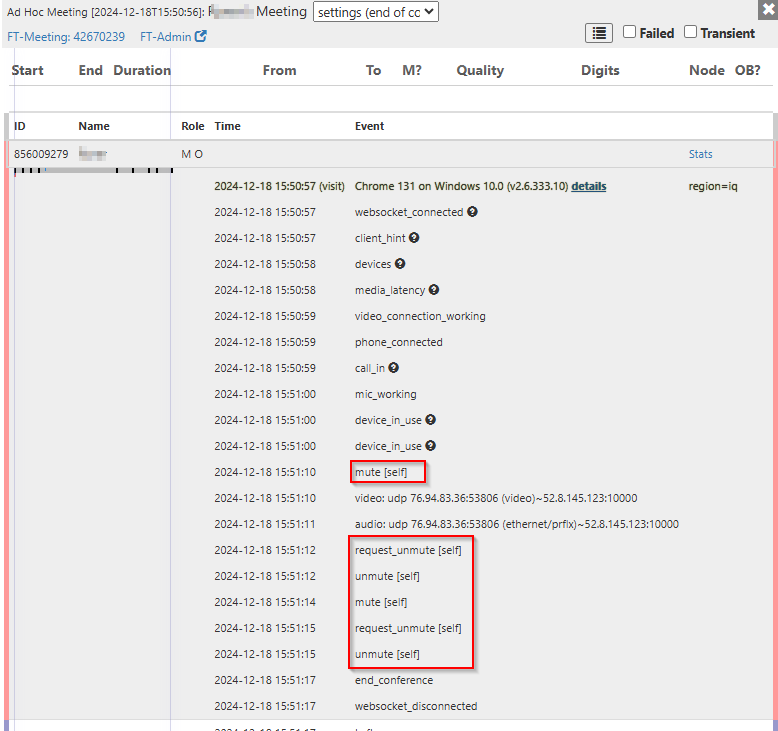
If a caller calls in online, either through the browser or the app, and is muted either by clicking the mute button themselves, Beacon would show it as mute [self].
Similarly, if the caller is unmuted either by clicking "unmute" or unmuted by the moderator, Beacon would show unmute [self].
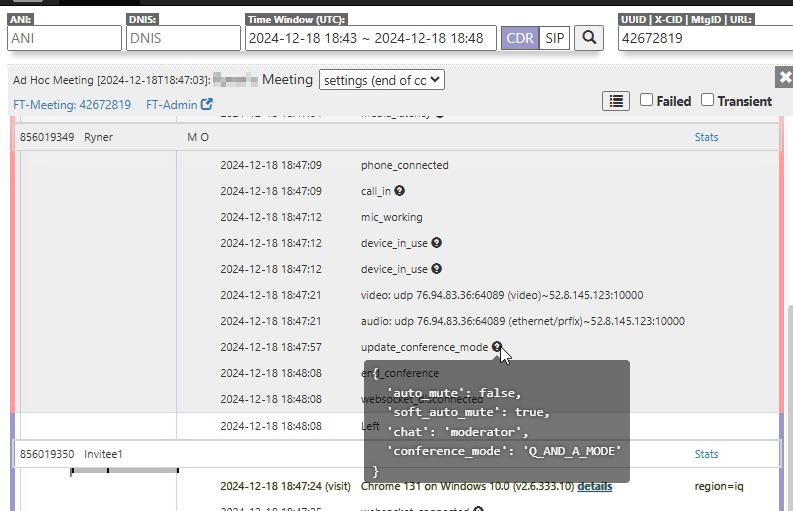
If a Moderator changes the conference mode, Beacon will show update_conference_mode. Hovering over, it will show the updated *conference mode.
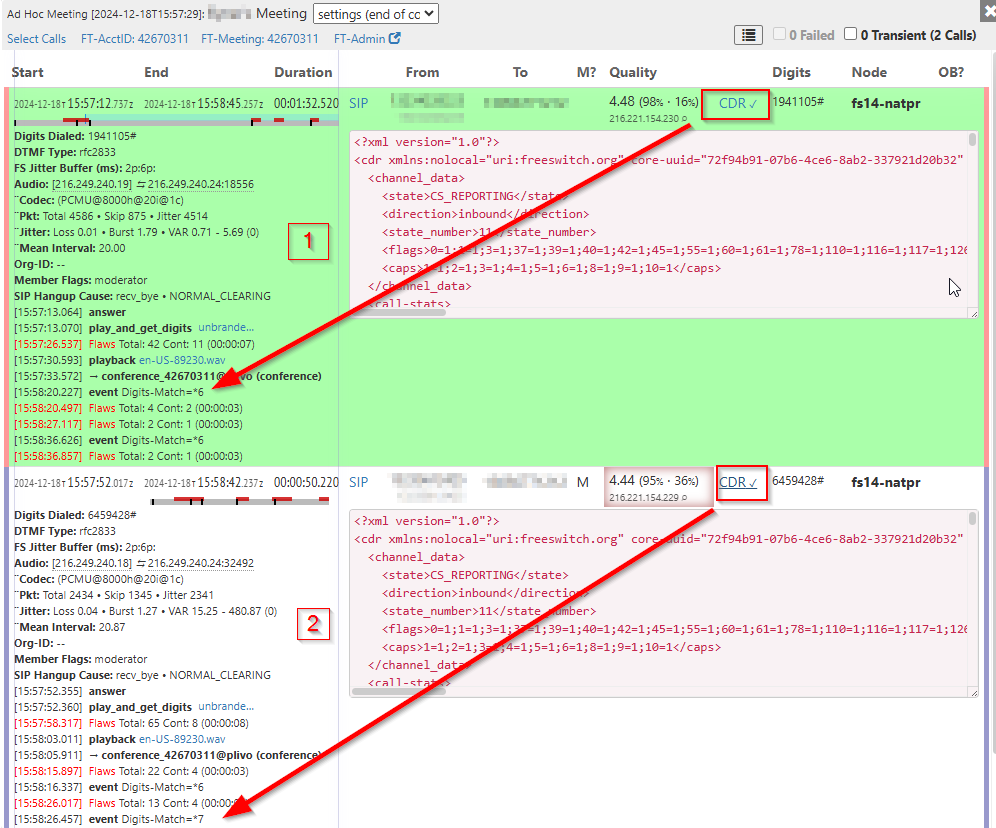
There are 2 mute commands for callers calling on the phone.
The first is *6 which mutes and unmutes the caller themselves, Beacon would show event Digits-Match=*6
The second is *7, a moderator control that switches the *conference mode to mute/unmute all non-moderators, Beacon would show that as event Digits-Match=*7
*Conference Mode
- Conversation/Collaboration
- All participants join the meeting unmuted and have full access to all sharing tools
- Q&A
- All participants join the meeting muted, but can unmute themselves and have restricted access to all sharing tools
- Presentation/Webinar Mode
- Presenter needs to ensure viewers cannot disrupt or interfere. Easily switch to another mode or unmute individual participants at any point for questions or feedback from viewers
Was this article helpful?
That’s Great!
Thank you for your feedback
Sorry! We couldn't be helpful
Thank you for your feedback
Feedback sent
We appreciate your effort and will try to fix the article