One key factor that can help troubleshoot calls is the device or browser being used by the caller.
Beacon provides the key information, here is a guide to finding browser information.
The format the beacon uses will be Browser type, browser version, on Device type
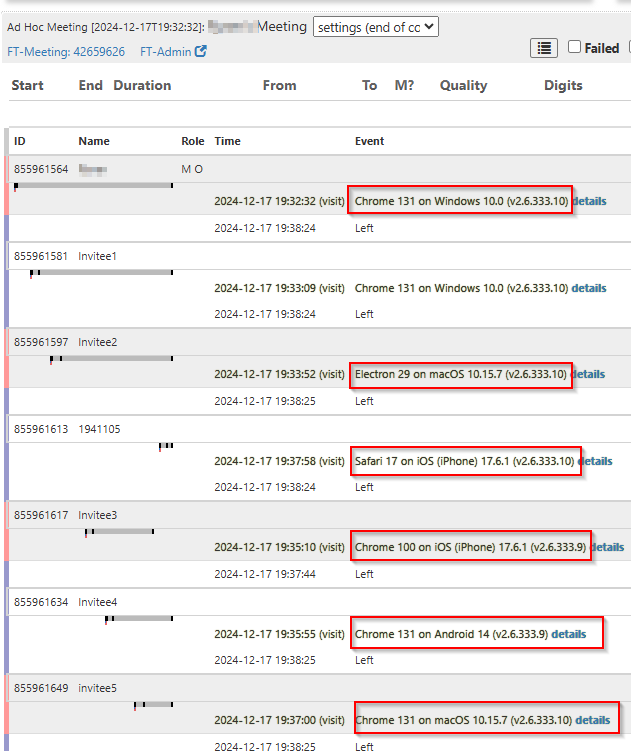
Examples above include:
Chrome 131 on Windows 10.0 - Caller is using the Chrome browser version 131 on a Windows 10 operating system.
Safari 17 on iOS (iPhone) 17.6.1 - Caller is using the Safari browser version 17 on a iOS device with version 17.6.1 operating system.
Note:
If the caller is using the Mobile app on an iPhone to connect, it will show as Chrome100
If the caller is using the Desktop app on Windows or Mac to connect, it will show as Electron followed by the desktop app version.
Was this article helpful?
That’s Great!
Thank you for your feedback
Sorry! We couldn't be helpful
Thank you for your feedback
Feedback sent
We appreciate your effort and will try to fix the article