How to access the reseller admin:
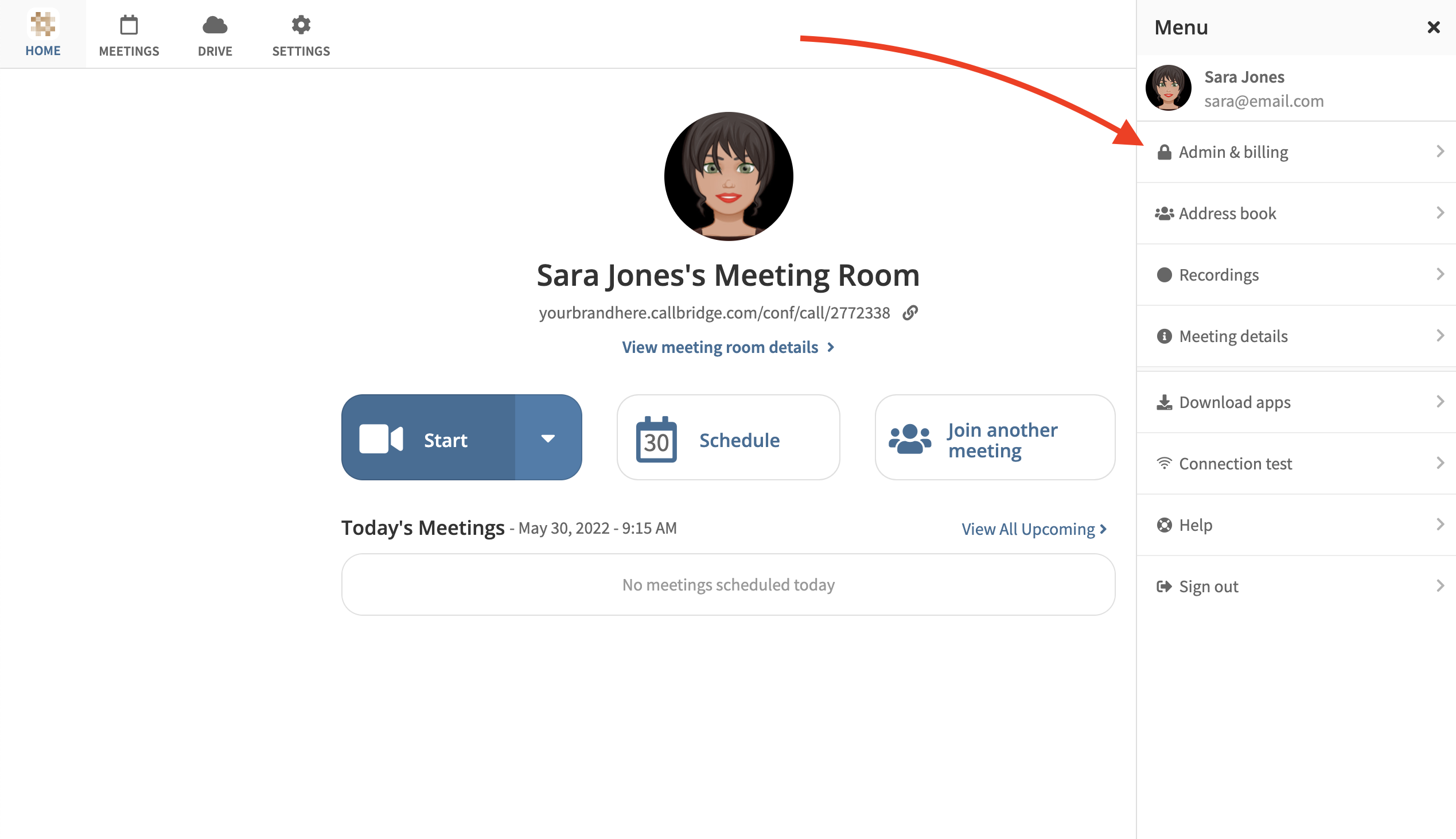
- Log in to your host user account
- Select "Admin & Billing" in the right-hand menu Menu
As a reseller admin, you will always be taken to the Reseller Admin page. Company level admins will see the same option in their host account, however they will only have access to information pertaining to their company.
Permissions are granted by another Reseller Admin. This can be done either when creating a new host or by editing an existing host.
Exiting the Reseller Console:
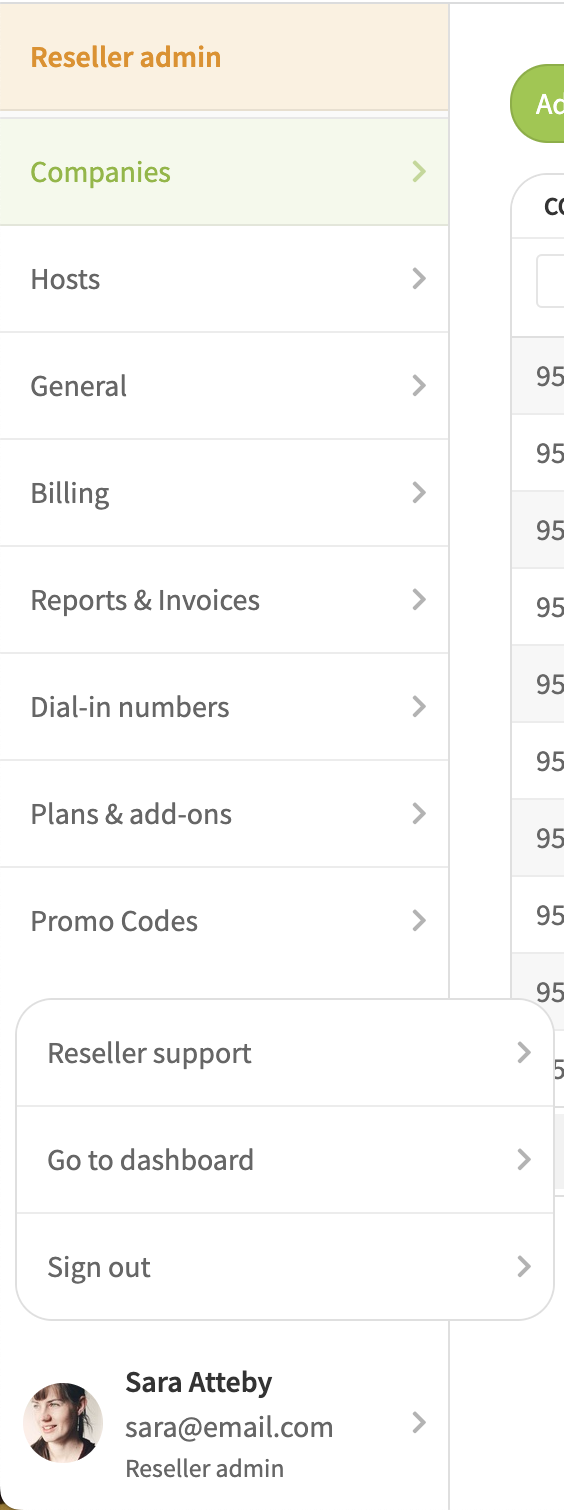
From the Reseller Admin page, select your name at the bottom left of the window. From here you may choose to go to this Reseller Support Site, back to your Dashboard, or choose to Sign Out.
Was this article helpful?
That’s Great!
Thank you for your feedback
Sorry! We couldn't be helpful
Thank you for your feedback
Feedback sent
We appreciate your effort and will try to fix the article